
Titbytes banner small

Introduction to Microsoft Excel

Microsoft Excel is an electronic spreadsheet application and is part of the Microsoft 365 Suite. Several other spreadsheet programs are available like Google Sheets, but Excel is the most popular.

You can use spreadsheets to do almost anything, from calculating and analysing your personal and business accounts, to logically storing and sorting lists of addresses or everyday items.

What is A Spreadsheet?

A spreadsheet consists of a grid of cells, arranged in columns and rows, which can contain numbers, formulas, or text. The intersection of a column and a row is called a cell. Cells are identified by a column letter, and row number. A group of one or more cells is called a range.
There are more than 268,435,456 cells in a worksheet and each worksheet is made up of 16,384 columns (beginning at ‘A’ on to ‘XFD’) and 1,048,576 rows.

Heading pix

Microsoft Windows Regional Settings.

Windows use regional settings to determine how to interpret numeric dates. For example, the numeric date 1/2/98 is interpreted as month-day-year (January 2, 1998) if the regional settings are for United States English, and as day-month-year (1 February 1998) if the regional settings are for British English.
Some regional settings put the year first, so other dates are also ambiguous in an international environment. For example, 3/2/1 can be January 2, 2003, or February 1, 2003, or February 3, 2001, or March 2, 2001.

Man sitting on a keyboard

Error Messages in Excel

  1. When working with Excel, you can encounter the following types of errors:
    #N/A Error:
    This is called the ‘Value Not Available’ error. You will see this when you use a lookup formula, and it can’t find the value (hence Not Available).
  2. #DIV/0! Error: You’re likely to see this error when a number is divided by 0. This is called the division error.
  3. #VALUE! Error: The value error occurs when you use an incorrect data type in a formula.
  4. #REF! Error: This is called the reference error and you will see this when the reference in the formula is no longer valid. This could be the case when the formula refers to a cell reference and that cell reference does not exist (happens when you delete a row/column or worksheet that was referred in the formula).
  5. #NAME Error: This error is likely to a result of a misspelled function.
  6. #NUM Error: Number error can occur if you try and calculate a very large value in Excel. For example, =194^643 will return a number error.
  7. #NULL! Error: The formula uses an intersection of two ranges that don’t intersect.
  8. #SPILL With the launch of dynamic arrays in Excel 365, any formula that produces multiple calculation results automatically “spills” those results into neighbouring cells. Please notice, any formula, even the ones that were not initially designed to handle arrays. A range of cells containing the results is called a spill range. And if something on the sheet prevents filling that range, a #SPILL! error occurs.
Excel Name box graphics
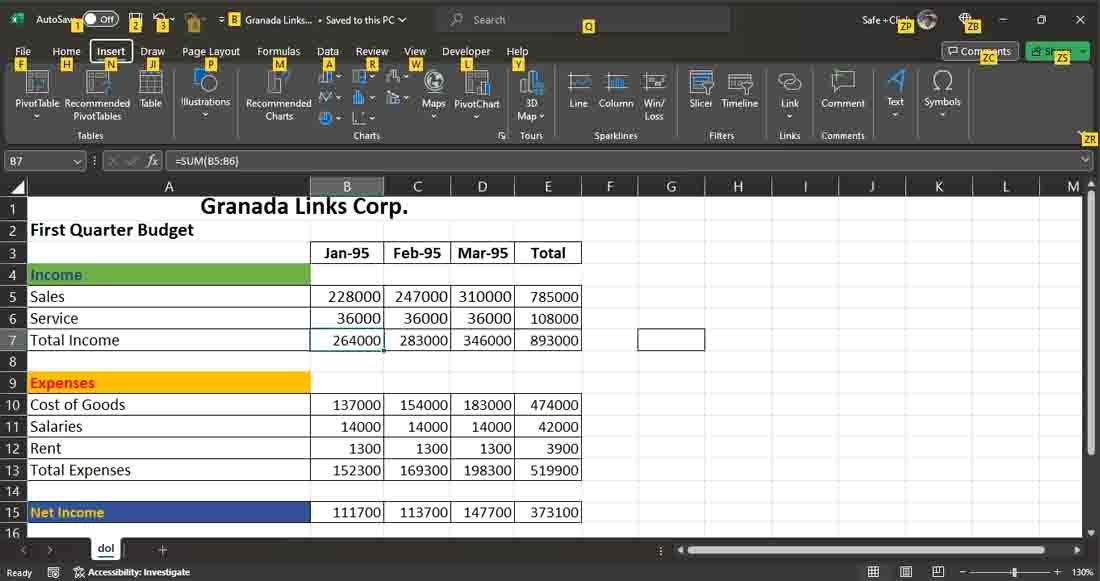
  1. THE NAME BOX CAN BE USED TO: Go to a particular cell anywhere in the worksheet, even if it is not visible.
  2. Highlight an entire row (1:1) or column (B:B), or highlight a range of cell (B2:F6).
  3. Show how many rows and columns are in your selection (8R x 3C = 8 rows, 3 columns).
  4. Create or show named Ranges. Also use – Formulas-Define Names-Create from selection.
  5. When you’re entering or editing a formula, the space typically occupied by the Name box displays a list of the functions that you’ve used most recently (if any). After you select a function from this list, Excel displays the Function Arguments dialog box.
  6. A picture or shape can be renamed using the name box. Whenever the object is selected, its new name shows in the name box.

Various shapes of your cursor in Excel

Using the Status bar for calculations

TIP: If you have a formula that you can’t seem to edit correctly, you can convert the formula to text and tackle it again later. To convert a formula to text, just remove the initial equal sign (=).
Skip to content